
How text editing and addition work in PDFs: Exploring layers, insertion algorithms, and challenges

Editing text in a PDF file is fundamentally different from typing in a standard word processor. When you open a document to make changes, you are not simply altering a fluid stream of words. Instead, you are interacting with complex page appearance instructions.
- PDFs often use “layers” to manage text and graphics, making editing complex.
- Text insertion relies on algorithms that approximate formatting and alignment based on the original layout.
- Fonts and formatting present challenges due to embedding and compatibility.
- Editing PDFs involves understanding structures like text streams and layout rules.
Understanding PDF text editing explained, addition mechanisms, and formatting processes helps you manage your documents more effectively.
This guide serves as a comprehensive hub for explaining the technical foundations of PDF text editing. We explore layer structures, algorithmic processes, font challenges, Unicode roles, and text rendering issues. We also highlight how DocHub simplifies secure document management.
How PDF content is actually structured
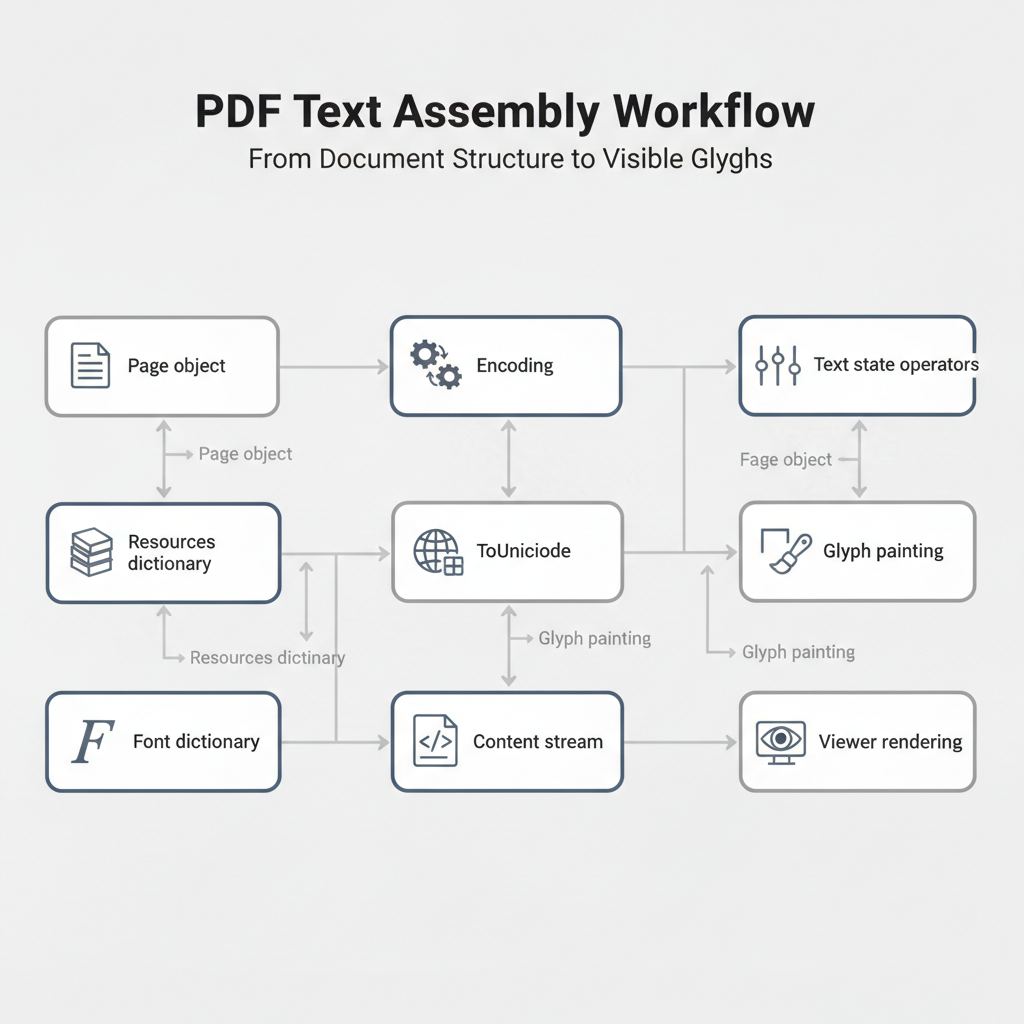
Many users assume a PDF file contains a single text layer, similar to an image file. In reality, visible page content relies on a content stream. This stream is a sequence of operators that set properties, determine colors, and paint glyphs at specific coordinates. The actual semantics of the document live within font objects, text states, and transform matrices.
A font object might include subset fonts, encodings, and ToUnicode maps. The text state controls the font size, word spacing, and text rise. Transform matrices dictate the exact position and scale of the text. Rather than a simple text box, a line of text often consists of multiple short runs with precise positioning tweaks.
When you edit text, the system must interpret and reconstruct these underlying instructions into something editable. For example, DocHub uses server-side parsing to walk through the document structure. It loads external resources to ensure correct decoding and skips invisible draw modes. This process translates raw document data into editable text runs, identifying the font size, rotation, and exact alignment.
A quick note on “layers”: PDFs don’t work like design tools with standard layers.
What users often call “layers” may actually be:
- annotations
- form fields
- OCR text behind images
- optional content groups (true PDF layers, but less common)
Editing tools operate on these structures differently depending on context.
Algorithms for text insertion
True semantic editing in a PDF is rare. Modifying the original PDF requires complex algorithms to handle text insertion effectively. Common text addition mechanisms include reflowing content, redacting and replacing text, or using an overlay.
- Reflow: Rewriting the content stream is difficult because it requires exact font embedding and layout adjustments.
- Redact and replace: This involves drawing opaque shapes over the old text and placing new text on top.
- Overlay: This treats the PDF as fixed vectors. You add a new text box aligned to measured coordinates.
DocHub uses a practical text edit flow. On the front end, the system sorts items in reading order. It merges adjacent runs that share the same font family and sit on the same line. This is vital for fragmented runs that split a single word into multiple parts. The system then estimates paragraph bounds, masks the original content, and places an editable multiline text annotation over it—aiming to match the original layout as closely as possible.
On the server side, related logic combines consecutive text records. If the font family, size, weight, and style match, the system reconstructs the lines. If there is a large gap between characters, the algorithm inserts a space.
Challenges in font matching
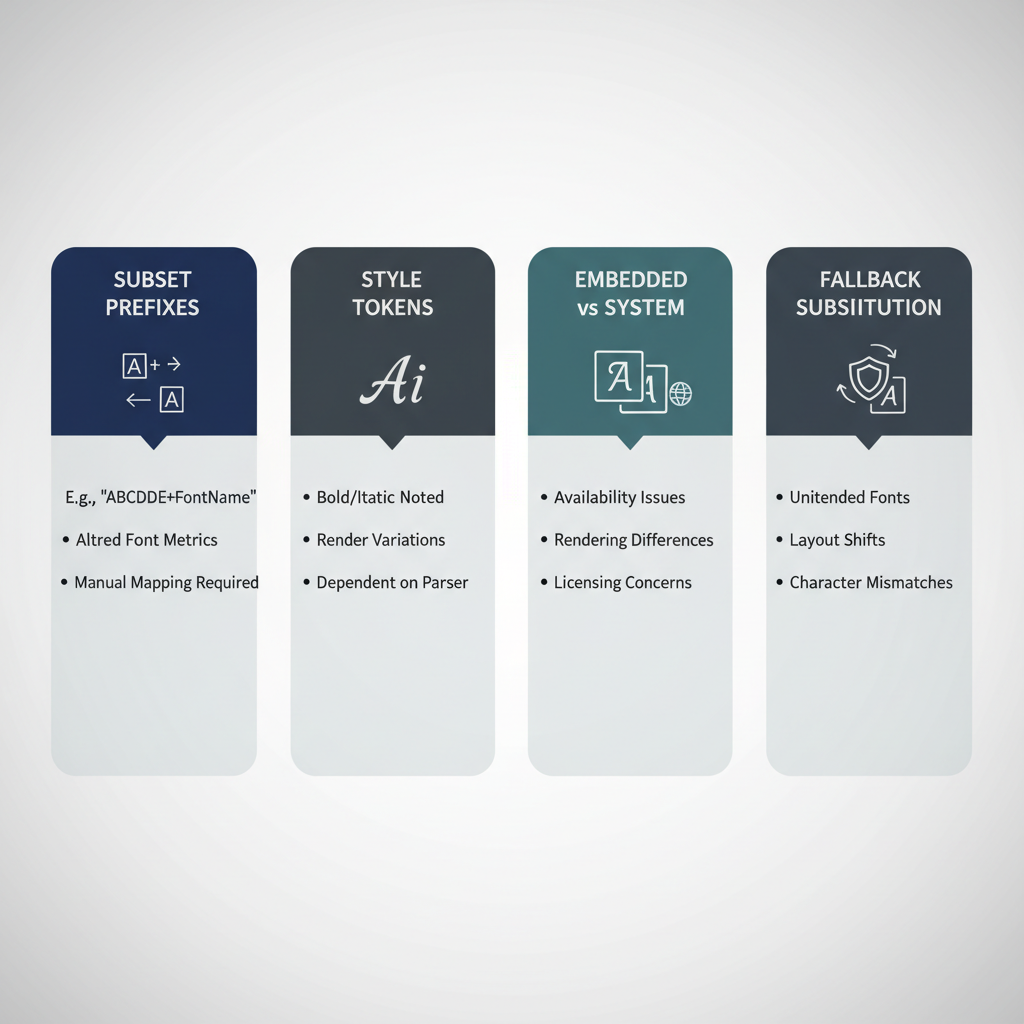
Font matching creates significant hurdles when you edit text. The embedded font in a file often differs from the fonts installed on your operating system. When this difference occurs, the software must substitute the missing font, which can lead to visual drift.
PDF font names are not stable. They often carry a subset prefix or fold the style directly into the name. If you use desktop software like Adobe Acrobat, you might notice that a missing system font prevents proper editing. You cannot simply start typing new text without the correct font properties. DocHub normalizes font names by removing vendor suffixes and detecting style tokens. It resolves fonts in specific tiers. It checks known standard fonts, searches the Google Fonts catalog, maps similar families, and finally uses a fallback serif or sans-serif option. This clear substitution process explains why specific fonts might look different when you replace text.
The role of Unicode in editing
A PDF stores data in a font-specific encoding. Unicode only appears when mapping tools translate glyph IDs into recognizable code points. If these maps are missing, you experience errors or see replacement characters instead of the intended text.
Imagine a student writing a chemistry article. They type out a document explaining an addition reaction. The text contains terms like double bonds, alkene, free radical addition, nucleophile, and electrophile. They also discuss stereochemistry and how molecules break apart when carbon bonds react. If they save this file as a PDF without proper Unicode mapping, extracting that sensitive data becomes impossible. The chemical reactions, the discussion on compound properties, and the notes on temperature would turn into unreadable blocks of text.
DocHub filters out problematic ranges to prevent these errors. The back-end loads standard mapping directories to ensure the text remains in a correct encoding. This prevents confusion and ensures that your copied content remains visible and accurate. It also manages issues where embedded emoji or complex format characters fail to render correctly.
Common text rendering issues and formatting processes
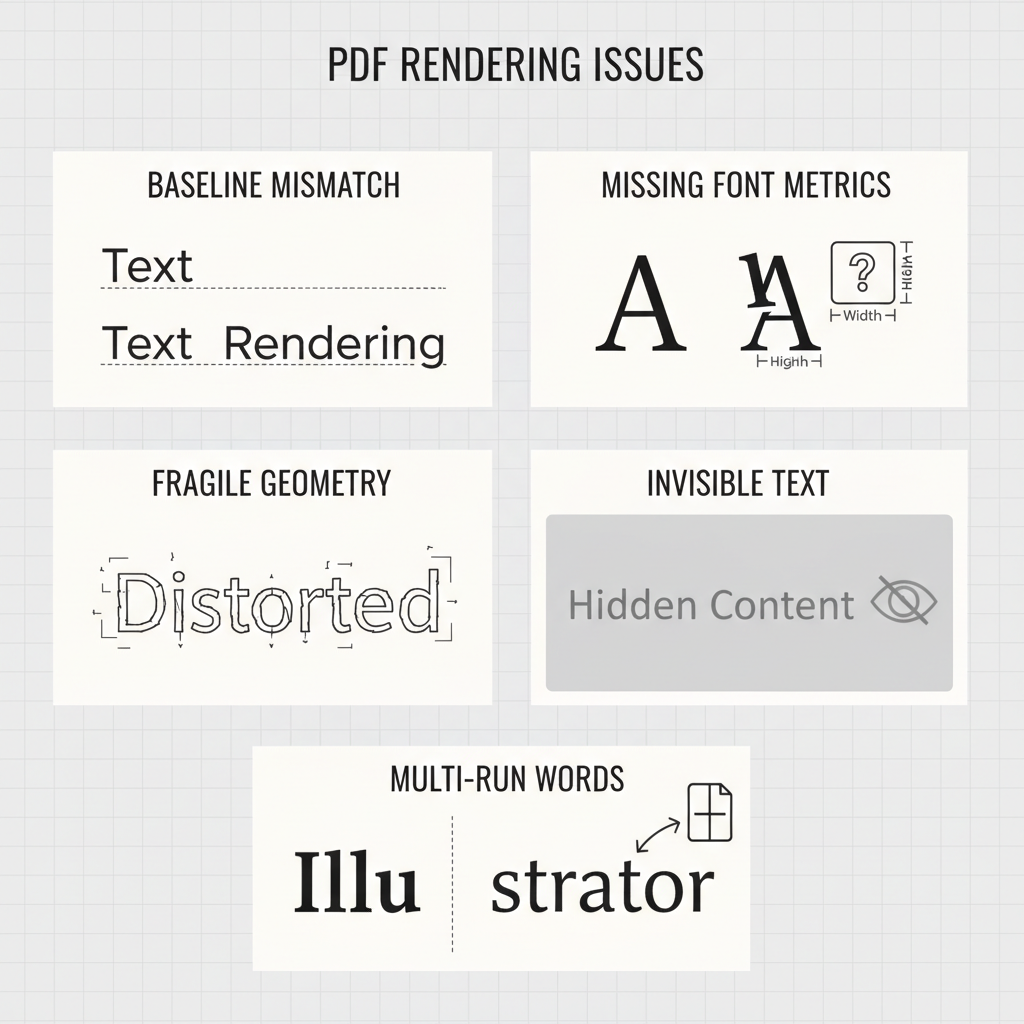
Even with strong algorithms, formatting processes face common text rendering issues. The baseline of a PDF often differs from standard user interface box models. Layout heuristics compensate for this, but vertical alignment can still drift if font metrics are missing.
Other common rendering issues include:
- Fragile geometry: Text positioned off the page may cause the parser to discard the content entirely.
- Invisible text: Runs used strictly for document structure are not intended for body copy editing.
- Artifacts: Oversized spacing glyphs or whitespace-only items can disrupt the alignment of new paragraphs.
- Multi-run words: A single word split across multiple content items requires gap-based merging to correct.
DocHub compensates for these issues by adjusting the free-text margin when metrics are missing. These engineering heuristics help keep text box alignment clean and visually consistent with the original layout, even when constructing edits over older files.
Secure document management and compliance
Managing a document securely is just as important as editing its content. Businesses use various operating systems, hardware, and websites to handle data. They need software that performs reliably across any medium.
DocHub simplifies secure document management and collaboration. It complies with strict industry standards, including the ESIGN Act and the Uniform Electronic Transactions Act (UETA). According to US law, a DocHub signature is digital as well as electronic because it meets specific requirements:
- It is unique to the signer.
- It can verify the signer.
- It is under the sole control of the signer.
- It is linked to the signed document, so any subsequent changes can be detected.
This level of security protects your original PDF and any sensitive data it contains. Whether you need to delete a block of text, convert a file, or create a quick format template, DocHub provides the utilities you need. The platform maintains a detailed audit trail stored securely, ensuring your document revisions remain legally binding and fully trackable.
Disclaimer: The information contained in this blog post is provided for general informational purposes only and does not constitute formal legal advice.
Final thoughts: Next steps for better PDF editing
Understanding how text editing and addition work in PDFs helps you navigate formatting challenges. While the format relies on complex layers, font subsets, and precise coordinates, modern tools abstract this difficulty.
Instead of struggling with manual font adjustments or broken text rendering, you can rely on intuitive platforms. DocHub streamlines the entire process. It handles the intricate background algorithms so you can focus on writing, editing, and collaborating. Try DocHub today to experience seamless, secure, and compliant document management across all your devices.
Glossary
- Content stream: The sequence of instructions that tells a PDF viewer how to draw the text, shapes, and images on a page. Instead of storing a normal paragraph like a word processor does, a PDF uses a content stream to place each letter or graphic at a specific coordinate on the screen.
- Font object: A container within a PDF that holds all the details about the typeface used in the document. This object includes vital information like the character shapes, sizes, and spacing. When you edit a file, your software must match or replace this font object so the new text blends in smoothly.
- Incremental save: A method of updating a PDF by adding new changes to the end of the file rather than rewriting the entire document from scratch. We rely on this approach because it protects the original layout, reduces the chance of errors, and keeps digital signatures valid when you add or change text.
- Transform matrix: A mathematical grid used to determine the exact position, rotation, and scale of text or images on a page. Rather than simply aligning a text box to the left or right, a PDF uses a transform matrix to calculate exactly where each word sits in relation to the rest of the document.
- Unicode mapping: The system that connects the visual shapes of letters on the screen to standard digital character codes. This mapping ensures that when you copy text from a PDF, your computer recognizes the actual words instead of showing scrambled symbols, errors, or blank boxes.
FAQ
- Why is editing text in a PDF harder than in Word?
PDF text editing explained: Unlike a word processor, a PDF does not use a fluid paragraph structure. Instead, it stores specific page appearance instructions. Text is placed on the page using exact coordinates, font dictionaries, and operators. Because the format is designed to preserve the final visual layout rather than an editable model, changing a sentence requires complex adjustments to the underlying code. - What are PDF layers?
The official “layer” feature in a PDF refers to optional content groups, which are used to control the visibility of different sections. However, users often use the term to describe other elements, such as annotations, form fields, or recognized text behind a scanned image. These are actually separate addition mechanisms rather than true traditional image layers. - Why does new text sometimes change font or spacing?
This happens when the original font is missing or not fully available for editing on your current operating system. To ensure the text remains visible, the PDF software substitutes a fallback font. Because different fonts have unique sizing and spacing metrics, this replacement can alter the alignment and overall look of your edited text. - Why can a PDF look correct but copy and search poorly?
A document can display perfectly on your screen but still fail during a search or copy-paste action if it lacks proper Unicode mapping. Without the correct mapping data, your computer only sees the visual shapes of the letters. It cannot translate those shapes into standard digital text, which results in scrambled characters or blank boxes when you try to extract the content. - Can you edit text in a scanned PDF?
Yes, but it requires an additional step. Because a scanned document is essentially a flat image, it does not contain a standard text layer. You must first process the file using optical character recognition (OCR) software. This technology identifies the letters in the image and creates a recognized text layer that you can then select, modify, or replace.